Minimus is ending operations. We appreciate the support of our many customers globally and are proud to have served you. Unfortunately, the current business and investment climate has resulted in a situation in which we are unable to continue operations. We acknowledge the effort that transitioning from our images will require and we are committed to providing customers with a stable transition period.
Beginning on Monday 24 August 2026, we will begin a 60 day maintenance period for the product and images. During this period, we will make necessary bug fixes to the overall product, provide commercial support, and continue to maintain images with upstream updates. On Thursday 22 October 2026, we will cease operations and turn off the Minimus registry (reg.mini.dev). Images pulled from the registry prior to 22 October will, of course, continue to function, but no further updated images will be provided.
For Enterprise Edition customers, we are committed to ensuring a fair and orderly conclusion to our commercial relationships. We will reach out to each Enterprise Edition customer individually, beginning on 24 August, to discuss the structured termination of your agreement, including any applicable refunds for the remaining contract period beyond 22 October.
While this is not the outcome that any of us wanted, we hope that this approach provides customers with ample opportunity to smoothly transition.
Beyond Version Tags: Detailed Changelogs for Container Images
By
Ashley Ward
January 29, 2026
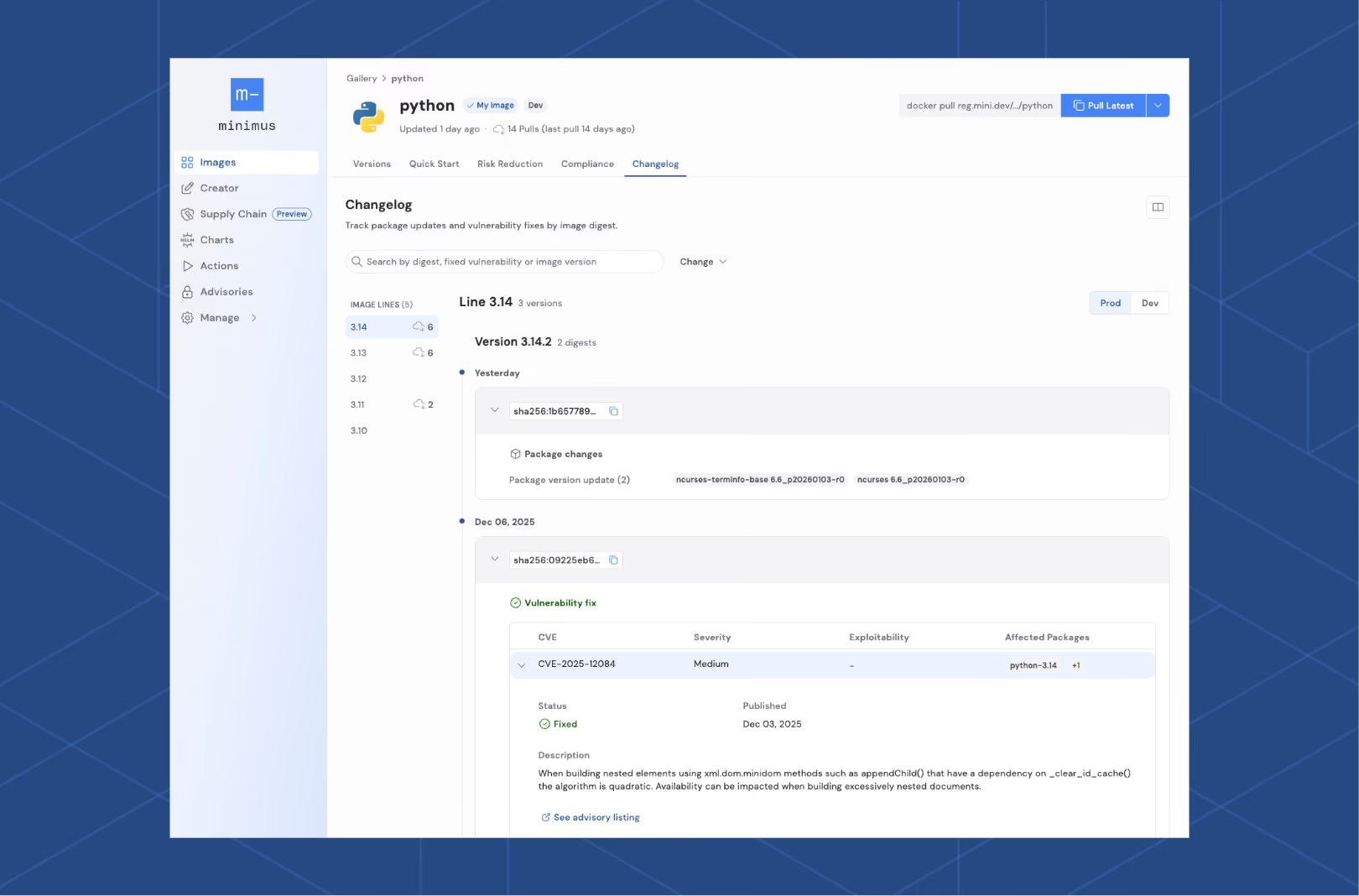
One of the features customers consistently tell us they value in Minimus is our detailed changelog. It provides a clear, auditable view of every change made to an image, across every version we publish.
Before looking at how it works, it’s worth understanding why this matters in real environments.
The Reality of Image Sprawl
In a large organisation, it’s common to consume hundreds of base images. Each of those images may exist in multiple variants and versions, all of which need to be understood, governed, and trusted.
Take Python as a simple example.
You may be running applications across multiple Python versions such as 3.10, 3.11, 3.12, 3.13, 3.14, and beyond as new releases are introduced. For each supported Python version, Minimus builds and maintains a minimal, distroless image designed to include only what is needed to make the image functional.
That approach dramatically reduces the number of components in the image, which in turn reduces the potential surface for change (and, of course, attack). However, change still happens, and it needs to be visible and explainable.
How We Handle Changes in Minimus Images
Changes to a Minimus image typically fall into a small number of categories:
An upstream component or library is updated
A minor version bump occurs in a dependency
A vulnerability is identified and fixed
When this happens, we rebuild from source, verify provenance, run our testing pipeline, rebuild to compliance standards, and publish a new image. The detailed changelog captures this process in a way that is explicit and reviewable.
Minimus Detailed Changelog
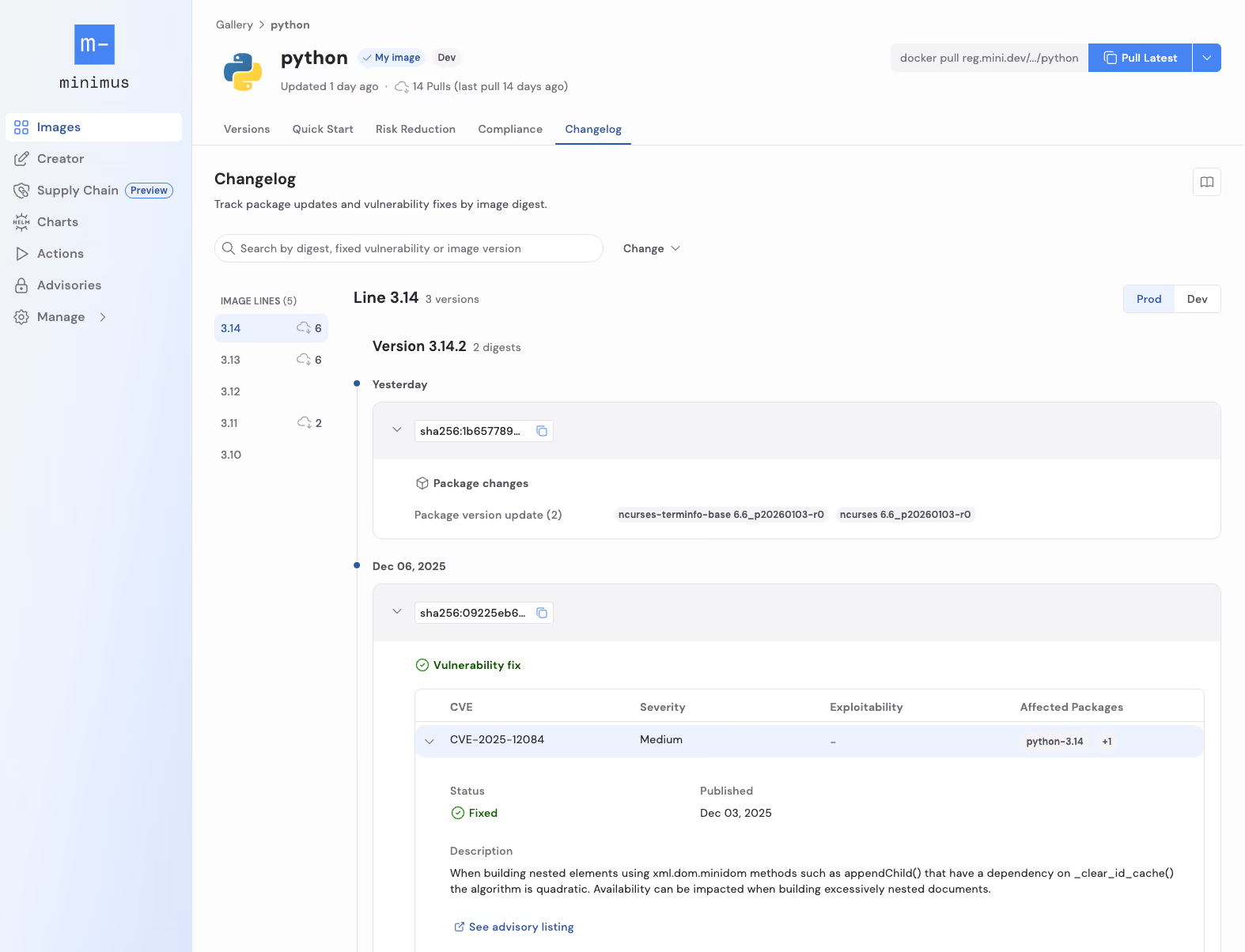
For every image version, you can see exactly what changed. That includes:
Which package was updated and the version
Whether the change was driven by a vulnerability fix
Which vulnerabilities were addressed
Which advisories are associated with that change
This allows teams to make informed decisions rather than guessing what is inside an image update.
Pinning, Comparing, and Trusting Digests
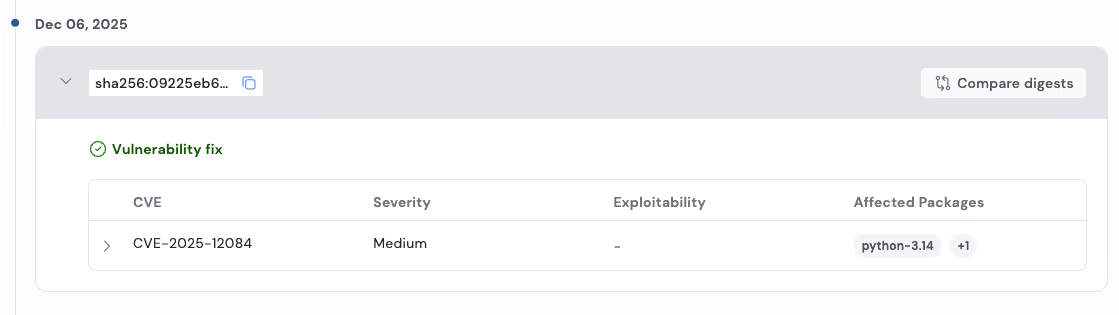
Every single build that is generated is tagged with the versions of the application as well as the detailed timestamp of the change. You could also easily tie changes to the image digest. That means you can:
Pin workloads to a specific tested digest
Compare that digest to the latest to see precisely what changed between them
Decide whether to adopt a new image based on the nature of the change, not just the fact that a new tag exists
For teams integrating images into CI/CD pipelines, this is critical. Some teams may choose to automatically consume vulnerability-only updates, while others may require human review for package changes. The detailed changelog supports both approaches.
Working with SBOMs, Advisories, and Automation
The detailed changelog does not exist in isolation. It complements other Minimus features to form a complete workflow:
SBOMs and compliance data provide a full inventory and standards alignment
Advisories surface vulnerability information across images and versions
Together, this means you can track changes, be notified as soon as they happen, and choose how automated or manual your response should be. The changelog provides the depth, while advisories and actions provide the signal and the automation.
Minimus Detailed Changelog is Designed for Operational Reality
Ultimately, our detailed changelog exists to support how teams actually operate. You get clear, published change data. You can audit it, automate against it, or simply use it to build confidence in what you are deploying.














.svg)
.svg)




.svg)



.svg)